Guests order by QR. When you close, the books balance.
Guests order on their phones and the ticket goes straight to the kitchen. At close, Scorder shows how much cash is off and who handled it.
Launching soon. Nothing to set up first; the phones you have are enough.
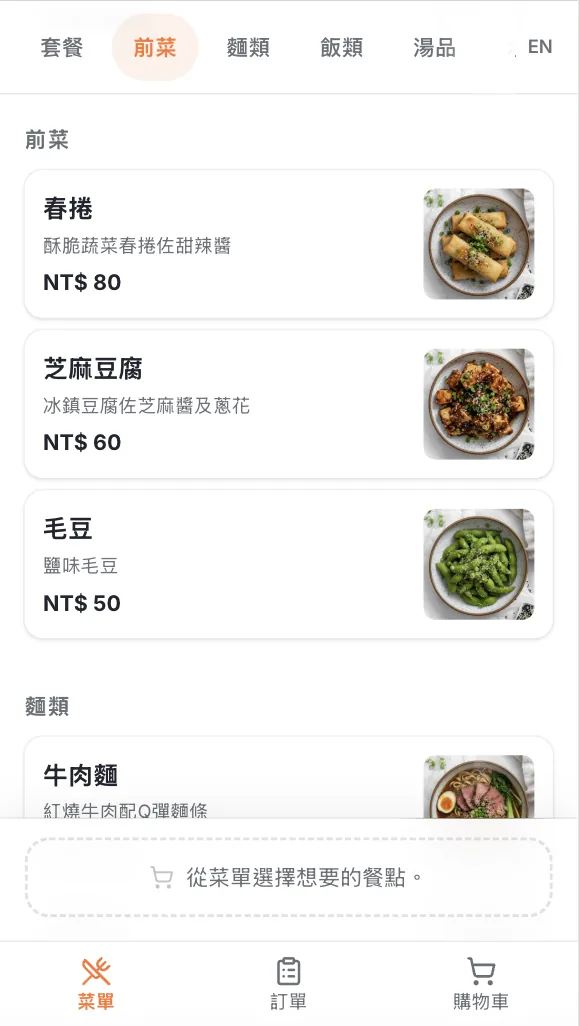
Four steps, from the scan to the close
Runs on the devices you have. No complicated setup.
- 01
Scan the QR code
Every table has its own QR code. One scan and they're ordering.
- 02
Browse and order
Guests pick options and flag allergies in seconds.
- 03
The kitchen sees it at once
Orders hit the kitchen screen; progress shows on the guest's phone.
- 04
Settle at the counter, reconcile at close
At close, expected and counted cash sit side by side, with the gap and who handled it.
A looping demo: a guest adds Dan Dan Noodles on their phone and sends the order. It appears on the kitchen display under Cooking, moves to Ready, then Served, while the guest's phone shows the live status.
The guest sends it. The kitchen sees it.
The table joins with a 6-digit code to order together; the counter can split the bill by item.
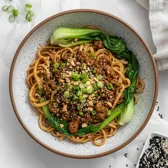



Illustrative demo. The actual interface may differ.
Pricing will be announced at launch.
After launch it stays no contract, no revenue share and no per-order fee. Leave a contact and you'll be among the first to hear when Scorder goes live.
Every restaurant gets
Per site- Unlimited printers
- Unlimited staff accounts
- Menu, reservations, kitchen display, takeout, reports
- Daily close and cash reconciliation
Two modules you can buy on their own
- E-invoicingAdd-on
- Online card payments and refundsAdd-on
Join the launch list
Scorder hasn't launched yet. Leave a contact and your restaurant's name, and you'll be among the first to hear when it goes live, pricing included.
Be the first to hear when Scorder launches.
Just your email and restaurant name. Pricing is announced at launch.
We only use this to tell you about the launch.